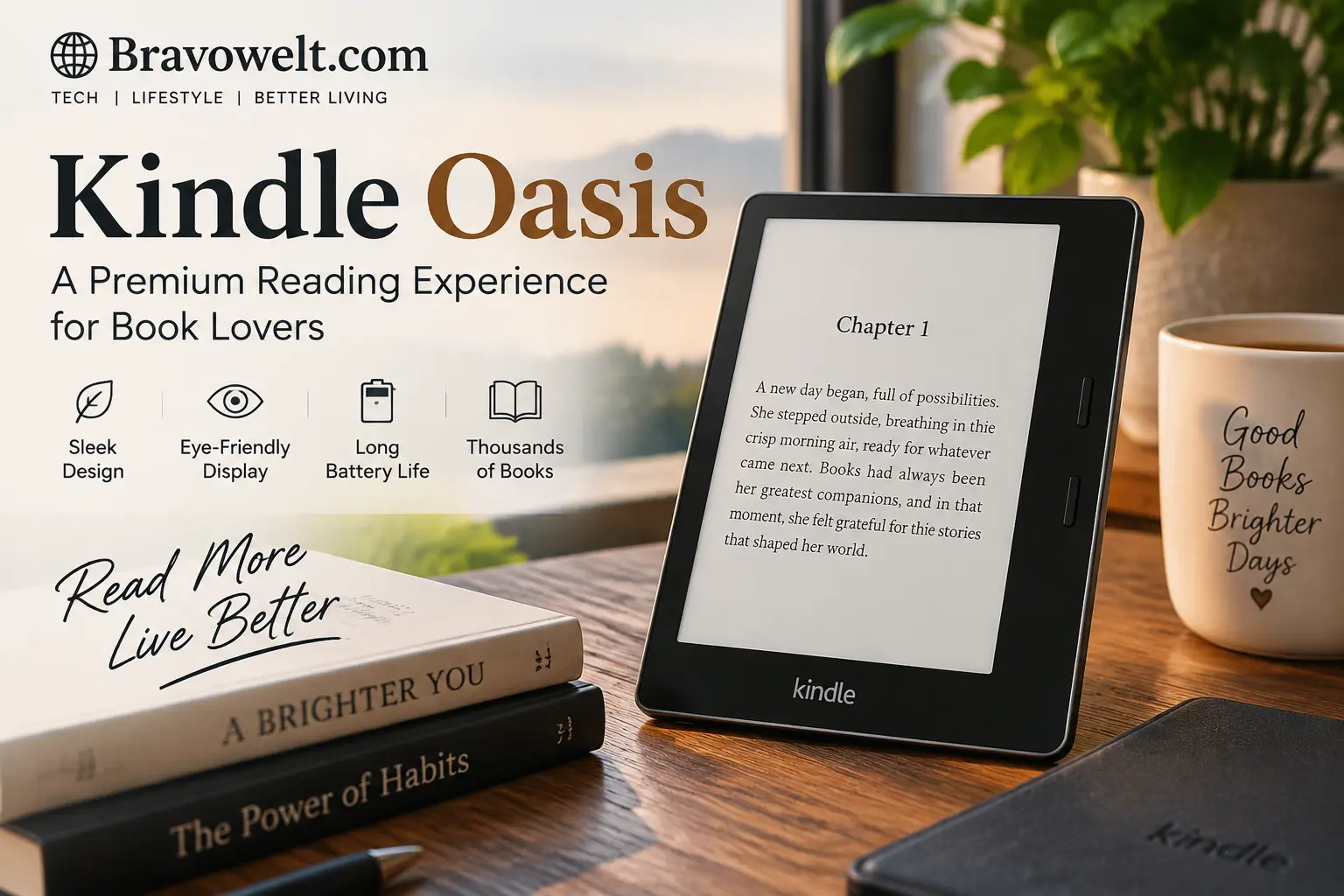
The Kindle Oasis remains one of the most distinctive e-readers Amazon has ever produced. Even though it is no longer part of Amazon’s current hardware lineup, its combination of a 7-inch E Ink display, physical page-turn buttons, adjustable warm lighting, waterproof construction, and asymmetrical ergonomic design still makes it relevant to readers in 2026.
If you are researching the Kindle Oasis today, the important question is no longer simply whether it was a good e-reader. The real questions are more practical: Is it still supported? Can you safely buy one used? Which generation should you look for? How does it compare with newer Kindle devices? And what should you buy if physical page-turn buttons are the feature you cannot give up?
This guide answers those questions from the ground up. It covers the device’s history, specifications, reading experience, software support, battery, storage, used-market considerations, current alternatives, and the differences between the Oasis and newer e-readers.
Kindle Oasis: What You Need to Know in 2026
The device is a premium Kindle e-reader designed primarily around comfortable long-form reading. Its defining design uses a thicker side grip on one edge, with physical page-turn buttons positioned where your thumb can naturally reach them.
The latest model is the 10th-generation Kindle Oasis, released in 2019. Amazon’s device-identification information lists it with a touchscreen, adjustable screen light, Dark Mode, VoiceView accessibility, physical page-turn buttons, and either 8GB or 32GB of internal storage.
Its hardware is now several years old, but age does not automatically make an e-reader unusable. E Ink devices generally have much longer practical lifespans than smartphones because their primary job is reading rather than running demanding applications.
The bigger issue in 2026 is availability. You are generally looking at remaining inventory, second-hand devices, refurbished units, or marketplace listings rather than a normal current-generation retail product.
That changes how you should evaluate one.
Instead of asking only, “What were its specifications?” ask:
- Is the exact generation being sold?
- Is the battery still healthy?
- Are the page-turn buttons working properly?
- Does the screen have pressure marks, dead pixels, or uneven lighting?
- Is the device still receiving security updates?
- Is the price reasonable compared with current alternatives?
- Would a newer e-reader provide the same features with less risk?
Those questions are much more useful for a 2026 buyer.
Is the Kindle Oasis Discontinued?
Yes. The Kindle Oasis is a discontinued product line, and Amazon has not introduced a newer Oasis generation to replace the 2019 model.
This does not mean existing devices suddenly stop working. A discontinued e-reader can continue functioning for years, especially if its hardware remains healthy and it can still connect to Amazon’s Kindle ecosystem.
The important distinction is between hardware availability and software support.
A discontinued product may no longer be manufactured while still receiving software and security maintenance. Amazon’s current support information lists the 10th-generation model’s security-update date as December 31, 2028.
So, if you already own one, discontinuation alone is not a reason to throw it away.
If you are buying one in 2026, however, the remaining support period and condition of the individual unit should be part of your decision.
What Happened to the Kindle Oasis?
The Oasis occupied a premium position in Amazon’s Kindle range. Its major selling point was not simply having a larger screen. It offered a physical reading experience that differed from standard touchscreen Kindles.
The physical page-turn buttons were especially important.
Many readers prefer pressing a real button rather than tapping a touchscreen because it provides tactile feedback and lets them change pages without repeatedly touching the display. This can be particularly comfortable when reading in bed, outdoors, while wearing gloves, or when holding the device with one hand.
The problem was that the market continued moving toward simpler, lighter, more standardized Kindle designs.
Newer Kindle models improved areas such as charging, processing performance, display technology, weight, and overall value. At the same time, Amazon’s mainstream lineup moved away from dedicated physical page controls.
That left the Oasis in an unusual position: it still had features people loved, but its hardware philosophy no longer matched the direction of the broader Kindle lineup.
The result is why the device remains highly searched today even though it is no longer a current model.
Kindle Oasis Generations Explained
There are several Oasis generations, but they should not be treated as identical.
The original Oasis introduced the unusual ergonomic design and physical page buttons. Later generations refined the concept with larger displays, waterproofing, improved lighting, and other hardware changes.
For someone shopping in 2026, the 10th-generation model released in 2019 is the most important version to understand because it is the newest Oasis and the model most likely to appear in the used market. Amazon identifies it specifically as the 10th Generation and lists the 2019 release year.
The 9th-generation version, released in 2017, also has physical page-turn buttons and an 8GB or 32GB configuration according to Amazon’s device documentation.
When buying second-hand, do not rely on the seller’s title alone.
Check the generation from the device settings, serial information, product documentation, or other reliable identifying information before paying.
Why does this matter?
Because an older Oasis can have a substantially different battery age and feature set from the final generation, and the physical condition of a used e-reader can matter more than a small difference in storage.
Kindle Oasis 3rd Generation Features and Specifications
The third-generation Oasis is the final major version and is often the model people mean when they search for the latest Oasis.
Its core hardware includes:
- 7-inch E Ink display
- 300 pixels per inch
- Adjustable front lighting
- Warm-light adjustment
- Physical page-turn buttons
- Waterproof construction
- Wi-Fi connectivity
- 8GB or 32GB storage
- Bluetooth support for compatible accessibility and audio features
- Asymmetrical ergonomic body
- Touchscreen interface
Amazon introduced the 2019 model with a 7-inch, 300ppi display and adjustable color temperature for the front light. It was designed to transition from cooler daytime lighting to warmer nighttime reading.
The device was also rated IPX8 for water protection. Amazon described protection against immersion in up to two meters of fresh water for up to 60 minutes under its stated testing conditions.
One important limitation is charging.
The final Oasis generation uses Micro-USB, not USB-C. That is one of the clearest signs that you are dealing with an older generation of hardware when compared with newer e-readers.
Display, Resolution and Reading Experience
The 7-inch E Ink display is one of the strongest parts of the reading experience.
A 300ppi E Ink panel provides sharp text that resembles printed paper far more closely than a conventional phone, tablet, or laptop screen. Because E Ink reflects ambient light instead of producing the same kind of direct backlight experience as an LCD or OLED device, it is particularly well suited to long reading sessions.
The larger screen also gives the page a more spacious appearance than smaller six-inch readers.
That matters when reading:
- Novels
- Non-fiction
- PDFs with relatively simple layouts
- Magazines
- Large-font books
- Documents requiring comfortable line spacing
The display is monochrome, so it is not designed for modern color E Ink use cases such as colorful comics, children’s picture books, or color-heavy illustrations.
Another advantage is outdoor readability. E Ink remains easy to see in bright ambient light, which is one reason dedicated e-readers continue to be attractive for beach, travel, and outdoor reading.
Physical Page-Turn Buttons and One-Handed Reading
Physical page-turn buttons are the feature that most clearly separates this device from many modern e-readers.
Instead of tapping the display every time you want to turn a page, you can press the button with your thumb.
This sounds like a small feature, but it changes how the device feels in daily use.
Consider reading for an hour while holding the device in one hand. With a touchscreen-only reader, every page change requires interaction with the display. With physical controls, your thumb can remain close to the button area while the screen stays relatively untouched.
The buttons can also be useful for readers who:
- Prefer tactile controls
- Read while lying down
- Have difficulty with repeated touchscreen gestures
- Want easier one-handed operation
- Frequently read outdoors
- Prefer physical controls over touch interaction
This is also why the used-market demand for the device remains understandable even after newer Kindle generations have arrived.
The buttons are not simply a technical specification. They are part of the reading experience.
Warm Light and Night Reading
The adjustable warm front light is another major feature of the final model.
Instead of providing only a fixed white illumination level, the device allows the screen tone to become warmer. Amazon specifically introduced this feature to make the transition from daytime reading to nighttime reading more comfortable.
A cooler light can feel appropriate during the day, while a warmer tone can be preferable when reading in a darker environment.
The device can also schedule the warmth adjustment around sunrise and sunset, reducing the need to manually change it every evening.
This should not be confused with a guarantee of better sleep. Individual responses to evening light vary, and screen comfort is only one part of nighttime reading habits.
What it does provide is greater control over the visual appearance of the front light.
Waterproof Design and Durability
Water resistance is particularly valuable for an e-reader because reading often happens in places where electronics can encounter moisture.
The final model carries an IPX8 rating. Amazon’s original product information described protection during fresh-water immersion under specified conditions.
That makes it suitable for situations such as:
- Reading beside a pool
- Using it near a bathtub
- Reading at the beach
- Carrying it during travel
- Dealing with accidental splashes
However, waterproof does not mean indestructible.
Water resistance can decline as seals age or the device is damaged. A used unit with a cracked housing, bent frame, or history of repair should not be treated as having the same protection as a new device.
Saltwater, chemicals, extreme temperatures, and physical damage can also create risks that an IP rating does not eliminate.
For a second-hand purchase, physical condition therefore matters.
Battery Life, Charging and Connectivity
Battery life is one of the reasons dedicated e-readers remain convenient.
Unlike smartphones, e-readers generally spend most of their time displaying a static page rather than continuously driving a bright high-refresh screen.
Actual battery life depends on factors such as:
- Front-light brightness
- Wireless connectivity
- Audiobook or Bluetooth use
- Reading frequency
- Battery age
- Software activity
- Environmental temperature
A brand-new device and a seven-year-old used unit should not be expected to deliver the same real-world battery performance.
This is particularly important in 2026 because every Oasis available second-hand has an aging battery.
Charging is another consideration.
The final generation uses Micro-USB rather than USB-C. If most of your other devices use USB-C, carrying an additional cable may be a minor but noticeable inconvenience.
Bluetooth support also allows compatible wireless audio features, while VoiceView can provide accessibility functionality through Bluetooth. Amazon lists VoiceView and Bluetooth-related support in its device documentation.
Kindle Oasis Storage Options
The final generation was sold with two main storage configurations: 8GB and 32GB.
Amazon’s current device-identification documentation lists approximately 6GB usable on the 8GB version and approximately 27GB usable on the 32GB version after system space is accounted for.
For ordinary novels, 8GB can hold a very large personal library.
The 32GB configuration becomes more useful if you store:
- Audiobooks
- Large illustrated books
- Comics
- Graphic novels
- Large document collections
Storage should therefore be matched to your actual reading habits rather than treated as a simple “more is always better” decision.
For someone who reads mostly standard text-based novels, the smaller capacity may be perfectly adequate.
For heavy audiobook users, the larger version can provide considerably more breathing room.
Kindle Oasis Software and Support in 2026
Software support is one of the most important things to check before purchasing an older e-reader.
The good news is that the final model has not simply become an unsupported electronic object.
Amazon’s current software information lists the 10th-generation model with Kindle software version 5.18.2.1.1, while Amazon’s security-update documentation lists the 2019 model through December 31, 2028.
That does not mean every future Kindle feature will arrive on the device.
Older hardware can eventually miss new features designed specifically for newer processors, displays, or operating-system components.
There is also a difference between:
Security support: maintaining the device’s security for the stated support period.
Feature parity: receiving every new feature introduced on newer Kindle models.
These are not the same thing.
If you already own an Oasis, its discontinued status does not automatically make it obsolete. If you are buying one now, however, you should understand that you are investing in older hardware with a finite official support window.
Is Kindle Oasis Still Worth Buying in 2026?
Whether it makes sense depends heavily on what you value.
If your priority is a premium reading experience with physical page-turn buttons, the final model still has a feature combination that many newer devices do not reproduce exactly.
If your priority is modern hardware, USB-C, a newer display platform, longer remaining hardware life, and easier retail availability, a current model may make more sense.
The biggest mistake is evaluating the device based only on its original reputation.
In 2019, buying a premium new e-reader was a very different proposition.
In 2026, you are often buying an aging device.
That means the condition of the individual unit can be more important than the original specification sheet.
A well-maintained unit with a healthy battery and functioning buttons can remain an enjoyable reading device. A heavily worn unit with battery degradation, charging problems, or screen damage can become a poor purchase even if the seller advertises it as a “premium Kindle.”
Buying a Used or Refurbished Kindle Oasis
The used market is where the device becomes most interesting.
Because the product is discontinued, you should approach every listing as a condition-sensitive purchase rather than assuming that all units are equivalent.
Before paying, check:
- Exact generation
- Storage capacity
- Screen condition
- Front-light uniformity
- Page-turn buttons
- Touchscreen response
- Battery performance
- Charging port
- Wi-Fi connectivity
- Bluetooth functionality if required
- Waterproofing history
- Device registration status
- Included accessories
- Return policy
- Seller reputation
Refurbished and used are also not automatically the same.
A professionally refurbished device may have undergone inspection, cleaning, testing, or component replacement.
A used device may simply mean someone previously owned it.
Ask what “refurbished” actually means before assuming that the battery, screen, and charging port have been professionally tested.
What to Check Before Buying a Used E-Reader
The screen should be your first inspection point.
Open several pages with different backgrounds and brightness levels. Look for:
- Dead pixels
- Dark spots
- Vertical or horizontal lines
- Uneven front lighting
- Cracks
- Pressure marks
- Touchscreen areas that do not respond
Next, test every physical button.
Do not assume that one working page-turn button means the button system is healthy. Press both buttons repeatedly and make sure they respond consistently.
Then check the battery.
A seller claiming that the battery “works” does not tell you much. A heavily degraded battery may still function while losing charge unusually quickly.
Charging should also be tested.
Older Micro-USB ports can become loose after years of use. If the cable must be held at a particular angle to charge, that is a warning sign.
Finally, inspect the body.
Pay attention to dents around the aluminum frame, signs of liquid exposure, screen separation, and previous repair work.
For an older waterproof device, physical damage deserves extra attention because it can affect the integrity of the water-resistant construction.
Kindle Oasis Price and Availability in 2026
There is no single reliable 2026 price because the product is no longer being sold as a normal current-generation Kindle.
Pricing can vary according to:
- Generation
- Storage
- Condition
- Battery health
- Accessories
- Refurbishment
- Seller
- Region
- Remaining retail inventory
A 32GB unit in excellent condition may command more than an 8GB unit with visible wear.
That does not automatically make the more expensive one a better purchase.
Compare the asking price against current alternatives rather than against the original launch price.
This is especially important because current e-readers have improved considerably since 2019. The latest Paperwhite generation, Colorsoft family, Scribe devices, and Kobo models offer capabilities that were not available in the same form when the final Oasis launched.
A used premium device only makes sense when its unique features justify the trade-off against newer hardware.
Kindle Oasis vs Kindle Paperwhite
The Paperwhite is the most important comparison because it represents the direction of Amazon’s mainstream e-reader lineup.
The key difference is philosophy.
The Oasis prioritizes:
- Physical page-turn buttons
- Ergonomic side grip
- Premium older-generation construction
- 7-inch 300ppi display
- Warm-light adjustment
- Water resistance
The modern Paperwhite focuses more on:
- Newer hardware
- USB-C
- Modern display technology
- Long battery life
- Current retail availability
- Simpler design
- Lower-risk ownership
The Paperwhite is therefore more attractive to someone who wants a current Kindle without dealing with used-market uncertainty.
The Oasis remains interesting for someone who specifically wants physical buttons.
That distinction is more useful than simply asking which device has more specifications.
For the latest updates and guides, visit our Gucci Glasses.
Kindle Oasis vs Kindle Scribe
The Scribe is aimed at a very different audience.
It is a large-format Kindle designed for reading and writing. Its large screen and stylus support make it more suitable for handwritten notes, annotations, planning, document work, and larger PDFs.
The Oasis, by contrast, is fundamentally a compact reading device.
Choose the smaller format when portability and one-handed reading are priorities.
Choose the Scribe family when you need a large writing surface.
The comparison therefore depends less on which device is “better” and more on whether your primary activity is reading or reading plus writing.
If you spend most of your time reading novels, the Scribe can be unnecessarily large.
If your workflow includes handwritten notes and documents, the Oasis lacks the hardware designed for that purpose.
Kindle Oasis vs Kindle Colorsoft
Color E Ink changes the equation.
The Colorsoft family is designed for readers who want color on an Amazon e-reader, making it more suitable for books where color actually contributes to the experience.
Examples include:
- Comics
- Graphic novels
- Illustrated books
- Children’s books
- Color diagrams
- Highlighting
- Visual reference material
The Oasis uses a monochrome E Ink display.
The Colorsoft also represents a much newer hardware generation, so buyers who want current technology may prefer it even if they do not specifically need color.
However, it does not reproduce the Oasis experience exactly.
If physical page-turn buttons are your defining requirement, you should not assume that a newer Kindle automatically provides the same interaction style.
Kindle Oasis vs Kobo Libra Colour
The Kobo Libra Colour is one of the most relevant alternatives because it addresses a major weakness in the current Kindle lineup: the desire for a modern e-reader with physical page-turn buttons.
The Libra Colour combines a 7-inch color E Ink display with physical page-turn controls and supports handwriting with a compatible stylus. Current 2026 comparisons also highlight features such as EPUB support, library borrowing in supported markets, and a more open file ecosystem.
That makes the comparison less about Amazon versus Kobo as brands and more about ecosystems.
Consider the Kindle ecosystem if you already rely heavily on:
- Kindle Store purchases
- Kindle Unlimited
- Audible integration
- Amazon account synchronization
- Existing Kindle books
Consider Kobo if features such as:
- Physical page buttons
- Color E Ink
- Native EPUB support
- Library borrowing
- More open file handling
are more important to your reading workflow.
Your existing digital library should be one of the first things you consider before switching platforms.
What Replaced the Oasis?
There is no single current Amazon model that reproduces every characteristic of the Oasis.
Instead, its features have effectively been distributed across different products.
The Paperwhite covers the mainstream premium reading experience.
The Colorsoft introduces color E Ink.
The Scribe focuses on large-screen reading and writing.
The basic Kindle targets portability and lower cost.
This means “replacement” depends on which Oasis feature you actually want.
If you want:
Premium everyday reading: look toward the Paperwhite family.
Color reading: consider Colorsoft.
Large-screen writing: consider Scribe.
Physical page buttons: look beyond the current mainstream Kindle lineup, including modern Kobo devices.
That is why simply telling every former Oasis owner to buy the newest Kindle is incomplete advice.
Best Alternatives for Physical Page-Turn Buttons
Physical buttons remain a specific requirement rather than a general e-reader feature.
The Kobo Libra Colour is particularly relevant because it combines modern hardware with physical page-turn controls. Current 2026 market comparisons identify it as a major option for readers who want buttons, color, and handwriting capabilities.
Other alternatives can be considered depending on the reader’s priorities.
When comparing them, look at:
- Button placement
- Screen size
- Display technology
- Warm lighting
- Waterproofing
- Storage
- File compatibility
- Library access
- Stylus support
- Battery
- Repairability
- Software ecosystem
The physical button itself should not be the only comparison point.
A reader may love page-turn buttons but dislike an unfamiliar ebook ecosystem. Another reader may prefer wider file compatibility even if the device feels different from an Amazon Kindle.
Will Amazon Release a New Kindle Oasis?
There is no confirmed new Oasis generation that should be treated as an announced 2026 product.
That means buyers should separate rumors from confirmed hardware.
Amazon’s current Kindle lineup has moved toward newer product categories rather than simply releasing another device identical to the old Oasis concept.
A future product could theoretically bring back physical page buttons, but there is no reliable basis for treating an unannounced device as something you can buy.
So, if you need an e-reader now, make the decision based on devices that actually exist rather than delaying a purchase indefinitely because of speculation about a future Oasis.
Who Should Consider the Kindle Oasis?
The final model can still make sense for a particular type of reader.
It is especially relevant if you:
- Strongly prefer physical page-turn buttons
- Want one-handed page control
- Like the 7-inch reading area
- Prefer warm front lighting
- Want waterproof protection
- Already use the Kindle ecosystem
- Find a clean used unit at a sensible price
- Do not mind Micro-USB
- Are comfortable buying older hardware
It is less compelling if you want:
- USB-C
- Brand-new hardware
- The latest display technology
- Color E Ink
- Handwritten notes
- Longest possible remaining product life
- Easy retail replacement
- A new-device warranty
The key is to buy according to your priorities rather than nostalgia for an older premium model.
Who Should Choose a Newer Kindle?
A newer Kindle is generally the simpler choice for someone who does not specifically need the Oasis’s physical controls.
Modern models offer a longer hardware runway and newer platform features.
For example, Amazon’s current support information shows newer Kindle generations with security-support dates extending beyond the final Oasis.
A newer device can also eliminate several used-market risks:
- Battery degradation
- Unknown previous repairs
- Damaged charging ports
- Cosmetic wear
- Reduced water resistance
- Uncertain seller history
If you simply want an easy Kindle for reading books, a current model removes much of the uncertainty involved in purchasing an older premium device.
Kindle Oasis Pros and Cons
Pros
- Physical page-turn buttons
- Comfortable one-handed operation
- 7-inch 300ppi display
- Adjustable warm front light
- Waterproof design
- Premium ergonomic shape
- Excellent text-focused reading experience
- 8GB and 32GB storage options
- Kindle ecosystem integration
- Still within Amazon’s listed security-support period
Cons
- Discontinued hardware
- No current-generation replacement
- Older processor and hardware platform
- Micro-USB charging
- Aging batteries in used units
- Increasing difficulty finding pristine examples
- No color display
- No built-in handwriting experience
- Used-market condition varies considerably
- Future feature support is less certain than on newer devices
The biggest advantage is still the physical reading interface.
The biggest disadvantage is that you are buying an older product in a market where newer devices now offer more modern hardware.
FAQs
Is the Kindle Oasis still supported in 2026?
Yes. Amazon’s current security-support documentation lists the 10th-generation model through December 31, 2028. That does not guarantee every future feature will be added, but it means the device is not outside its published security-support period.
Which is the latest generation?
The 10th-generation model, released in 2019, is the latest generation. Amazon identifies it as the 2019 Kindle Oasis and lists both 8GB and 32GB configurations.
Does it have physical page-turn buttons?
Yes. Physical page-turn buttons are one of its defining features, and Amazon explicitly lists them in the device specifications.
Does it have a warm light?
Yes. The final model introduced adjustable color temperature for its front light, allowing the screen tone to shift from cooler to warmer illumination.
Is it waterproof?
The final model has an IPX8 rating. Amazon described protection against immersion in up to two meters of fresh water for up to 60 minutes under its specified conditions.
Does it use USB-C?
No. The final model uses Micro-USB. This is one of the clearest hardware differences between it and many newer e-readers.
How much storage does it have?
The final generation was available with 8GB or 32GB of internal storage. Amazon lists approximately 6GB and 27GB respectively as available to users after system storage.
Is 8GB enough for books?
For ordinary text-based ebooks, 8GB is enough for a very large library. The larger capacity becomes more useful if you store many audiobooks, comics, graphic novels, or large documents.
Is 32GB better for audiobooks?
It can be. Audiobooks generally require much more storage than ordinary text ebooks, so the 32GB configuration gives frequent audiobook users more space.
Can it still download Kindle books?
A supported device can continue to use the Kindle ecosystem, provided its software, account connection, network access, and Amazon services remain compatible.
Should I buy a used unit in 2026?
It can make sense if physical buttons are important to you and you find a unit in genuinely good condition. Check the battery, screen, buttons, charging port, lighting, Wi-Fi, and body carefully before purchasing.
What is the biggest risk when buying one used?
Battery condition is one of the most important risks because the newest generation dates from 2019. Physical damage, charging-port wear, screen defects, and uncertain repair history are also important.
Is the Paperwhite newer?
Yes. The current Paperwhite generation belongs to a newer hardware family than the final Oasis. It also offers modern conveniences such as USB-C and newer display hardware.
Is the Kobo Libra Colour a replacement?
It can be a functional alternative for readers who specifically want physical page-turn buttons in a modern device. It also adds color E Ink and handwriting support, but it uses Kobo’s ecosystem rather than Amazon’s.
Can the device display color?
No. The final model uses a monochrome E Ink display. If color reading is important, a modern color E Ink device is more appropriate.
Can it be used for PDFs?
Yes, but the experience depends heavily on the PDF layout. Simple documents can be readable, while complex academic PDFs, large tables, multi-column layouts, and heavily illustrated documents can be less comfortable on a 7-inch e-reader.
Does it support audiobooks?
Compatible Kindle audiobook functionality is available through supported Bluetooth audio devices and Amazon’s ecosystem. However, audiobook storage requirements should be considered when choosing between the 8GB and 32GB configurations.
Will there be a new model?
There is no confirmed 2026 successor that should be treated as an announced replacement. Future hardware should be judged only when Amazon officially announces it.
Is it better than a newer Kindle?
That depends on what you value. The Oasis has physical page-turn buttons and a distinctive ergonomic design, while newer Kindles offer more modern hardware and a longer remaining product lifecycle.
What should I check first when buying one used?
Start with the exact generation, screen, page-turn buttons, battery, charging port, and front-light uniformity. Then check connectivity, registration, physical damage, accessories, and the seller’s return policy.
Conclusion
The final Kindle Oasis occupies an unusual position in the 2026 e-reader market. It is no longer a current Amazon product, yet its core reading experience remains distinctive because of the physical page-turn buttons, ergonomic grip, 7-inch 300ppi E Ink display, warm front light, and waterproof design.
Its discontinuation does not make every existing unit obsolete. Amazon still lists security support for the 10th-generation model through December 31, 2028, giving current owners a meaningful support window.
For a new buyer, however, the decision is more complicated. You are purchasing older hardware, usually through remaining inventory or the used/refurbished market. Battery health, screen condition, charging-port wear, and the actual asking price therefore matter enormously.
The strongest reason to choose this older device is its physical reading experience. If tactile page-turn buttons and one-handed control are essential, the Oasis remains unusually distinctive. If you want USB-C, newer hardware, color E Ink, handwriting, or the longest possible future support, modern alternatives deserve serious consideration.
In other words, the right question is not simply whether this discontinued e-reader is still “good.” The better question is whether its specific strengths match the way you read in 2026.
For the latest updates and guides, visit our Reprise Financial.