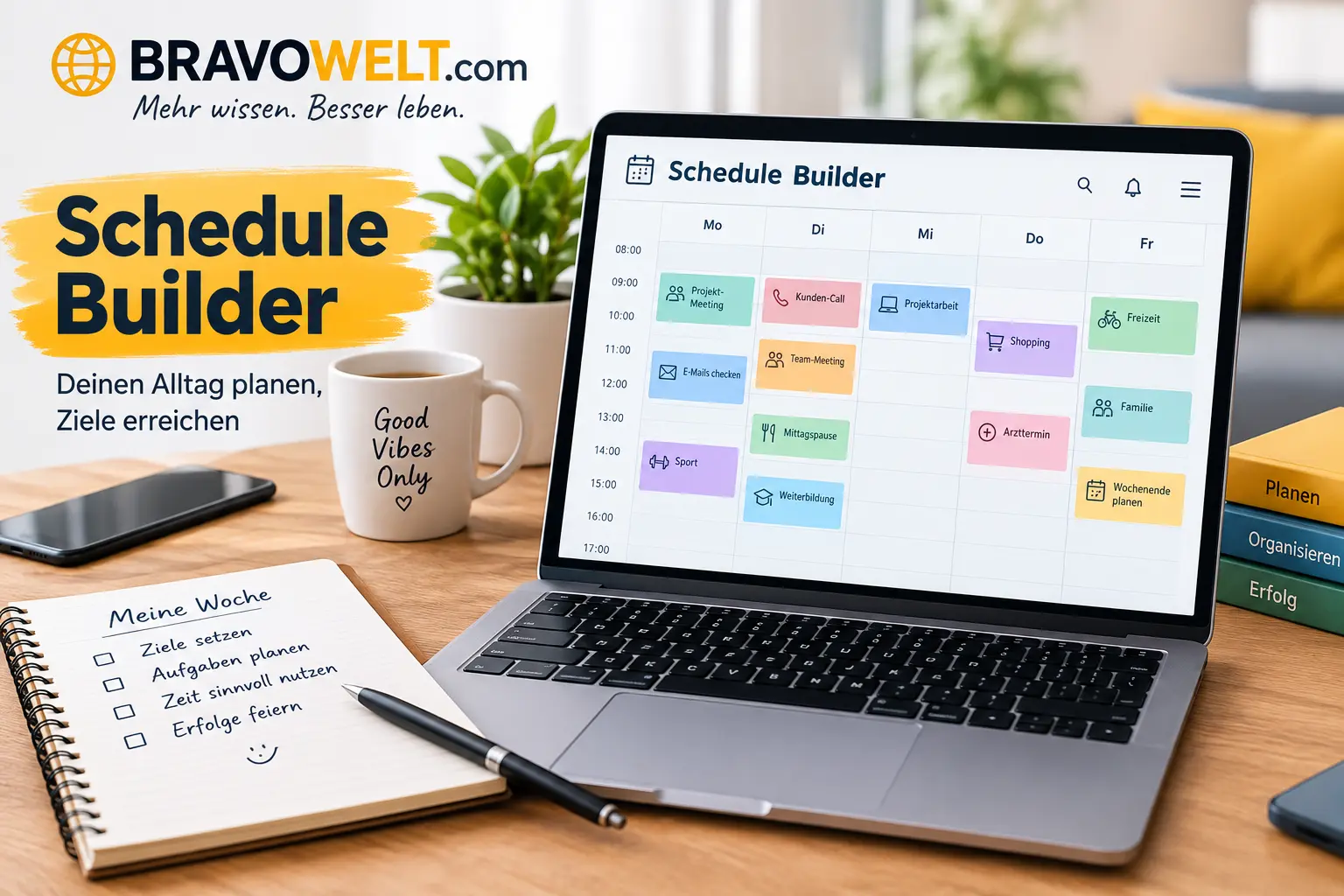
A schedule builder makes it easier to turn a busy list of classes, work shifts, appointments, study sessions, tasks, and personal activities into a clear plan. Instead of trying to remember everything or managing several separate notes, you can place activities into specific days and time slots and see how your entire week fits together.
A schedule builder can be useful for a student planning classes, a teacher organizing lessons, a manager assigning employee shifts, a professional protecting focused work time, or anyone trying to create a more balanced routine. Modern online tools increasingly support visual time blocking, drag-and-drop editing, templates, calendar exports, conflict checking, mobile use, and AI-assisted planning.
The important part is not simply filling every available hour. A useful schedule should show what needs to happen, when it needs to happen, how long it will take, and where enough time remains for breaks, travel, preparation, and unexpected changes.
Schedule Builder: Create a Schedule Online
An online schedule maker gives you a visual workspace where you can organize activities against days and times. A typical weekly planner displays days across the top and hours down the side, allowing you to place events into the correct time slots.
For example, a student might create blocks for:
- Mathematics class
- English lecture
- Laboratory work
- Lunch
- Library study
- Assignment time
- Exercise
- Personal activities
A professional could instead add meetings, deep-work sessions, commuting, appointments, and breaks.
The main advantage is visibility. When everything appears in one place, it becomes easier to notice empty periods, overloaded days, overlapping activities, and unrealistic plans.
Many current online schedule makers also allow you to move or resize blocks, customize colors, save the plan locally, print it, export it, or share it.
What Is a Schedule Builder and How Does It Work?
A schedule builder is a planning tool that helps you arrange activities according to specific days, times, durations, and requirements.
Think of it as a visual timetable rather than a simple list of tasks.
A normal task list might say:
- Study chemistry
- Go to work
- Attend meeting
- Exercise
It does not tell you exactly when each activity should happen.
A schedule planner adds that missing structure:
- Chemistry — Monday, 4:00–5:30 PM
- Work — Tuesday, 9:00 AM–5:00 PM
- Meeting — Wednesday, 11:00 AM–12:00 PM
- Exercise — Thursday, 6:00–7:00 PM
What information do you need?
Before creating a schedule, collect the basic information:
- Activity or event name
- Day
- Start time
- End time or duration
- Location, when relevant
- Person responsible, for team schedules
- Priority
- Recurrence, if the activity repeats
- Availability restrictions
- Required breaks or preparation time
For more complicated schedules, you may also need rooms, teachers, employees, course sections, class capacity, qualifications, or minimum staffing requirements.
Why are time slots important?
Time slots convert vague intentions into realistic commitments.
“Study more” is difficult to follow because it has no defined start or finish. “Study biology from 7:00 PM to 8:00 PM” gives you a specific action and a defined amount of time.
This is one reason time blocking is commonly used in visual weekly planners.
How to Build a Schedule Step by Step
Creating a useful plan does not require complicated scheduling knowledge. Start with fixed commitments and gradually add flexible activities.
1. Choose the planning period
Decide whether you need a daily schedule, weekly planner, monthly schedule, semester plan, or longer-term timetable.
For most recurring routines, a weekly view is a practical starting point.
2. Add fixed commitments first
Enter activities that cannot easily move.
Examples include:
- Classes
- Work shifts
- Appointments
- Meetings
- Exams
- School periods
- Regular childcare
- Important deadlines
These become the foundation of your plan.
3. Add flexible activities
After fixed commitments are placed, add activities that can move when necessary.
Examples include:
- Studying
- Exercise
- Shopping
- Reading
- Project work
- Household tasks
- Personal development
4. Set realistic durations
Do not give every task an unrealistically short time.
If an assignment normally takes 90 minutes, a 20-minute time block will not solve the problem. Include preparation and transition time when necessary.
5. Check for overlaps
Look at every day carefully. Two activities should not occupy the same time unless there is a deliberate reason.
6. Add breaks
A schedule filled from morning to night may look productive but can be difficult to follow.
Include:
- Lunch
- Short breaks
- Travel time
- Preparation time
- Recovery time
- Buffer periods
7. Review the finished plan
Ask yourself:
- Can I realistically follow this?
- Are important tasks scheduled?
- Are any days overloaded?
- Is enough travel time included?
- Are there unnecessary gaps?
- Are recurring activities placed correctly?
8. Save or export the plan
Depending on the tool, you may be able to print the timetable, download it as an image or PDF, export calendar data, or share it with other people. Modern tools increasingly support formats such as ICS for calendar applications.
Create a Weekly Schedule With Ease
A weekly schedule gives you a complete view of Monday through Sunday and makes recurring activities easier to organize.
Start by dividing your week into broad categories.
For example:
| Category | Examples |
|---|---|
| Education | Classes, lectures, homework |
| Work | Shifts, meetings, projects |
| Health | Exercise, appointments, sleep |
| Personal | Family, errands, hobbies |
| Planning | Weekly review, preparation |
Use consistent labels or colors so that you can identify categories quickly.
A weekly schedule maker is especially useful when the same activities happen repeatedly. Instead of recreating the same blocks every week, recurring events can be copied or repeated where the tool supports that feature.
The goal is not to create a perfect-looking calendar. The goal is to create a plan that remains practical when real life changes.
Free Schedule Builder for Students and Professionals
A free schedule maker can be enough for many personal planning needs.
Students can use one to organize classes, study sessions, assignments, exams, sports, and personal commitments. Professionals can use one for meetings, focused work, appointments, breaks, and recurring responsibilities.
Before choosing a free tool, check which features are actually included.
Useful features may include:
- Weekly and daily views
- Custom time slots
- Drag-and-drop editing
- Recurring activities
- Color categories
- Templates
- Printing
- PDF export
- Image export
- Calendar export
- Sharing
- Local saving
- Mobile compatibility
A free tool can be particularly useful when you need a simple visual planner without the complexity of a full project-management system.
AI-Powered Schedule Builder for Smarter Planning
AI scheduling changes the process from manually placing every activity to describing your requirements and allowing software to suggest an arrangement.
For example, a student could provide:
- Classes
- Study requirements
- Exam dates
- Preferred study hours
- Sleep schedule
- Exercise time
- Available days
An AI schedule generator can then produce a starting plan that the user reviews and changes.
Some current education tools already offer both traditional manual planning and AI-assisted class planning, allowing students to describe preferences or explore different course combinations.
AI does not remove the need for human review. A generated plan can still be impractical if it misunderstands travel time, personal preferences, availability, or an important real-world restriction.
What should AI consider?
A useful automated scheduling system should consider factors such as:
- Availability
- Required activities
- Time preferences
- Duration
- Deadlines
- Priority
- Breaks
- Conflicts
- Recurring commitments
- Travel time
- Work limits
- Required resources
For employee scheduling, more advanced systems may also consider qualifications, leave, rest periods, availability, and working-time limits.
School and Class Schedule Planning
Schools have more complex scheduling requirements than a personal weekly planner.
A school timetable may need to coordinate:
- Classes
- Teachers
- Rooms
- Subjects
- Periods
- Grade levels
- Student groups
- Labs
- Breaks
- Teacher availability
The main challenge is preventing two resources from being required in two places at the same time.
For example, if one science teacher is assigned to Grade 8 at 10:00 AM and Grade 9 at the same time, the timetable contains a conflict.
Modern school scheduling systems can use visual editing and conflict indicators to identify teacher or classroom double-booking.
How can schools reduce timetable problems?
Start with the hardest constraints:
- Teacher availability
- Room availability
- Required lesson periods
- Student group restrictions
- Subject requirements
- Break periods
- Preferred teaching times
Then use the remaining flexibility to improve the timetable.
College Course Schedule Planning
College students often have to choose between multiple course sections, instructors, rooms, and meeting times.
A course schedule should consider:
- Course requirements
- Lecture times
- Laboratory periods
- Section availability
- Instructor
- Classroom
- Travel between buildings
- Study workload
- Personal commitments
A good college timetable does more than avoid overlapping classes. It should also avoid creating an unnecessarily difficult day.
For example, four classes spread across a single day may create long gaps, while several back-to-back classes may leave little time to travel between buildings.
University planning systems are increasingly combining manual schedule creation with automated or AI-assisted exploration of course possibilities.
Work and Employee Schedule Planning
Employee scheduling is different because the schedule must meet business requirements while also respecting worker availability and working limits.
A work schedule may include:
- Employee names
- Shifts
- Positions
- Start and end times
- Days off
- Breaks
- Department
- Required staffing levels
- Employee availability
For example, a restaurant may need enough employees during the evening rush but fewer people during quiet hours.
A shift schedule should therefore consider both coverage and availability.
If five employees are needed between 6 PM and 9 PM, assigning only three creates a coverage gap. Assigning ten may create unnecessary labor costs.
Modern employee scheduling systems can also use recurring patterns, availability information, leave, shift swaps, and automatic planning rules.
Study Schedule and Personal Planning
A study schedule turns academic goals into specific study periods.
Instead of writing “prepare for exam” on a to-do list, divide the work into smaller blocks:
- Review Chapter 1
- Practice mathematics problems
- Review vocabulary
- Complete past-paper questions
- Take a practice test
- Review mistakes
This makes progress easier to measure.
A study planner should also leave enough time between difficult sessions. Continuous high-intensity study can become difficult to maintain.
Students can combine study blocks with:
- Classes
- Homework
- Sleep
- Meals
- Exercise
- Travel
- Family responsibilities
- Relaxation
Some newer AI study planners use deadlines, exams, goals, and missed sessions to create or adapt daily study plans.
Daily, Weekly, and Monthly Scheduling Options
Different planning periods solve different problems.
Daily schedule
A daily schedule is useful when your day contains many small tasks or appointments.
It can show:
- Exact time blocks
- Meetings
- Classes
- Breaks
- Tasks
- Travel
- Personal activities
Weekly schedule
A weekly planner is useful for recurring routines and seeing how commitments interact across several days.
It is often the best format for:
- School
- College
- Work
- Exercise
- Study
- Household routines
Monthly schedule
A monthly schedule gives a broader view.
Use it for:
- Exams
- Project deadlines
- Appointments
- Holidays
- Events
- Paydays
- Major milestones
A practical system can use all three views: monthly for major dates, weekly for planning, and daily for execution.
Drag-and-Drop Schedule Creation
Drag-and-drop scheduling makes changes easier because you can visually move an activity rather than manually rewriting the entire timetable.
A typical workflow is:
- Add an event.
- Place it on the desired day.
- Drag it to another time if necessary.
- Resize it when the duration changes.
- Review the surrounding activities.
Current online scheduling tools commonly use this visual approach for time blocks and shift assignments.
When is drag-and-drop useful?
It is particularly helpful when experimenting with different arrangements.
For example, if you want to move a study session from Tuesday afternoon to Wednesday morning, you can change the block directly instead of rebuilding the timetable.
On touch devices, some tools replace dragging with tapping or other touch-friendly controls.
For the latest updates and guides, visit our Dilip Shanghvi and Jensen Huang.
How to Organize Classes, Tasks, and Events
A crowded calendar becomes easier to understand when activities are grouped logically.
Use categories such as:
- Classes
- Work
- Study
- Meetings
- Personal
- Health
- Family
- Travel
Colors can help, but do not rely on color alone. Clear labels are still important for accessibility and quick recognition.
Use descriptive names.
Instead of:
Study
try:
Biology — Chapter 4 Review
Instead of:
Meeting
try:
Marketing Team — Weekly Meeting
This makes the schedule useful even when you look at it quickly on a phone or printed page.
How to Manage Time Slots and Activities
Every activity needs enough time to be completed properly.
When assigning a time slot, consider:
Duration: How long does the activity normally take?
Preparation: Do you need time to get ready?
Travel: Do you need to move between locations?
Recovery: Does the activity require a break afterward?
Priority: What happens if this activity is delayed?
Flexibility: Can the activity move if something unexpected happens?
For example, a class from 10:00 to 11:00 may realistically require 15 minutes before and after it for travel or preparation.
Ignoring these hidden periods is one of the easiest ways to create an unrealistic timetable.
How to Avoid Scheduling Conflicts
A scheduling conflict occurs when two activities require the same time or the same limited resource.
There are several types.
Time conflict
Two activities overlap.
Example:
- Meeting: 2:00–3:00 PM
- Doctor appointment: 2:30–3:30 PM
Resource conflict
Two activities require the same room, teacher, employee, or equipment.
Availability conflict
An activity is assigned when the person or resource is unavailable.
Coverage conflict
A business does not have enough employees for a required period.
Advanced scheduling software can automatically identify some of these problems. University scheduling systems, for example, can check instructor and room conflicts, while employee tools can check availability and staffing requirements.
Always review automated results before treating them as final.
Schedule Templates for Different Needs
Templates reduce the time needed to start from an empty calendar.
Useful templates include:
- Student weekly schedule
- College timetable
- School timetable
- Work schedule
- Employee shift schedule
- Study planner
- Fitness schedule
- Family schedule
- Daily routine
- Project schedule
A template should be a starting point rather than a rigid rule.
For example, a student template might include morning classes, study blocks, meals, and exercise. The student can then remove anything that does not fit their actual routine.
How to Customize Your Schedule
Customization makes a planner easier to use because different people have different requirements.
Useful customization options include:
- Start and end hours
- 12-hour or 24-hour time format
- Week starting day
- Event colors
- Categories
- Font size
- Layout
- Visible days
- Time intervals
- Notes
- Recurring events
A professional may need a Monday–Friday workweek, while a student may need a seven-day view.
Someone working night shifts may also need a schedule that begins later in the day.
The best setup is the one that matches the way you actually live or work.
How to Save, Print, Download, and Share a Schedule
Once a timetable is complete, you need a reliable way to access it.
Common options include:
Save: Keep the plan for future editing.
Print: Create a physical timetable for a desk, classroom, office, or noticeboard.
PDF: Preserve a clean, fixed version that can be opened on different devices.
Image: Useful for quickly viewing or sending a schedule.
Calendar export: Move events into compatible calendar software.
Share: Give another person access to the schedule or send them a copy.
Current tools support several combinations of these options, including PDF, image, calendar-file, and link-based sharing.
When sharing a schedule, check whether it contains private information such as personal appointments, phone numbers, addresses, or confidential work details.
Schedule Builder vs. Traditional Calendar Apps
A traditional calendar is excellent for appointments and events, but a dedicated scheduling tool can provide a more focused planning experience.
| Feature | Visual scheduling tool | Traditional calendar |
|---|---|---|
| Time blocking | Strong | Usually available |
| Weekly timetable | Strong | Available |
| Class planning | Useful | Possible |
| Employee shifts | Often supported | Usually less specialized |
| Drag-and-drop blocks | Common | Common |
| Schedule templates | Often available | Varies |
| Conflict checking | Depends on tool | Usually basic |
| AI planning | Increasingly available | Depends on platform |
| Printable timetable | Common | Usually available |
| Resource scheduling | Advanced tools may support it | Often limited |
The choice depends on the problem you are trying to solve.
If you mainly need appointments and reminders, a calendar may be enough. If you need to visually design a timetable, compare arrangements, organize shifts, or build recurring time blocks, a dedicated schedule planner may be more convenient.
Benefits of Using an Online Schedule Builder
A well-designed online planner can provide several practical benefits.
Better visibility
You can see the entire week instead of remembering individual tasks.
Easier changes
Moving one activity does not require rewriting the entire plan.
Fewer conflicts
Overlapping events are easier to notice.
Better time awareness
You can see exactly where your available hours are going.
Reusable planning
Recurring activities and templates can reduce repetitive work.
Easier collaboration
Teachers, managers, teams, students, and families can share schedules where appropriate.
Better organization
Different categories can be separated visually.
More flexibility
Digital plans are easier to update than paper timetables.
The real benefit comes from using the tool to make better decisions, not from filling every empty space.
Common Schedule Building Mistakes to Avoid
Even a powerful scheduling tool cannot fix unrealistic planning.
Filling every minute
A schedule with no free time has no room for delays.
Underestimating task duration
A task that always takes an hour should not be given 20 minutes.
Ignoring travel time
Moving between classrooms, offices, buildings, or locations takes time.
Creating too many priorities
If everything is marked urgent, priority loses its meaning.
Forgetting recurring commitments
Regular classes, meetings, shifts, and appointments should be included.
Making the plan too complicated
If you need several minutes just to understand your own timetable, simplify it.
Not reviewing conflicts
Do not assume that a generated timetable is automatically correct.
Ignoring recovery time
Sleep, meals, breaks, and personal time are part of a sustainable routine.
Tips for Creating a Productive Schedule
Start with your most important fixed commitments.
Then build around them.
Use larger blocks for activities that require concentration and smaller blocks for simple tasks.
Group similar activities together when practical. For example, answering several emails during one planned period can reduce repeated interruptions.
Keep difficult work away from times when you are normally tired if your routine allows it.
Review the plan at the end of the week.
Ask:
- What worked?
- What repeatedly took longer than expected?
- Which activities were frequently moved?
- Which time periods were wasted?
- Which commitments should be removed or shortened?
Use those answers to improve the next week’s plan.
How to Create a Balanced Schedule
A balanced timetable should contain more than work or study.
Consider four broad areas:
Responsibilities: Work, classes, assignments, appointments.
Health: Sleep, meals, exercise, medical needs.
Relationships: Family, friends, community, important personal commitments.
Recovery: Rest, hobbies, quiet time, and unstructured time.
Balance does not mean giving every category exactly the same number of hours.
It means making enough room for the activities that support your responsibilities and personal needs.
For example, a student may need more study time during exam week. A temporary increase in study hours can be reasonable, but the plan should still account for sleep and necessary breaks.
Schedule Builder for Schools, Colleges, and Businesses
Different organizations require different scheduling logic.
Schools
School timetables often focus on teachers, rooms, classes, periods, subjects, and student groups.
Colleges
College planning focuses heavily on course sections, instructor availability, room assignments, student schedules, and conflicts.
Businesses
Employee scheduling focuses on staffing coverage, employee availability, positions, shifts, leave, and working limits.
Events
Event planning may require speakers, rooms, sessions, equipment, and attendee-facing timetables.
A single generic template cannot handle every situation perfectly. The more complex the scheduling problem becomes, the more important constraints and conflict detection become.
University scheduling projects, for example, may need to account for room capacity, room type, instructor availability, student-group overlaps, and double-booking.
Mobile-Friendly Scheduling
A schedule is most useful when you can access it when you need it.
Mobile-friendly planning should provide:
- Readable text
- Touch-friendly controls
- Clear time slots
- Simple editing
- Easy scrolling
- Fast loading
- Comfortable weekly views
A complex desktop interface may not work well on a small screen.
For mobile users, the most important information should remain easy to find without excessive zooming or horizontal scrolling.
Responsive design is especially important for students and employees who check their plans while moving between classes, meetings, or work locations.
Free vs. Paid Scheduling Tools
Free and paid scheduling tools can serve different needs.
A free schedule maker may provide enough functionality for:
- Personal planning
- Study schedules
- Simple weekly routines
- Basic class timetables
- Small teams
Paid software may add features such as:
- Cloud synchronization
- Multiple users
- Advanced reporting
- Automated scheduling
- Employee management
- Availability rules
- Advanced integrations
- Larger storage
- Administrative controls
Do not choose a tool simply because it has more features.
First decide what you actually need.
A student creating a personal weekly timetable may not need enterprise scheduling features. A business managing dozens of employees may need much more than a basic weekly planner.
How AI Can Improve Schedule Planning
AI can make scheduling faster by handling some of the repetitive work involved in arranging activities.
Imagine giving a system these requirements:
- Work from 9 AM to 5 PM
- Exercise three times a week
- Study two hours each evening
- Keep Friday evening free
- Include lunch every day
- Avoid scheduling two classes at the same time
Instead of manually testing dozens of arrangements, an AI scheduling system can propose a starting plan.
The user can then review the result and make changes.
Where AI is most useful
AI can help with:
- Initial schedule generation
- Time-block suggestions
- Reorganizing overloaded days
- Finding possible conflicts
- Balancing activities
- Creating study plans
- Generating employee shift arrangements
- Handling recurring patterns
- Suggesting alternative arrangements
Current AI planning products increasingly allow users to describe a desired week in natural language and then edit the generated result.
Why human review still matters
AI does not automatically know everything about your real life.
It may not understand:
- Actual travel time
- Personal energy levels
- Unexpected responsibilities
- Informal commitments
- Preferred routines
- Physical limitations
- Last-minute changes
- The importance of one commitment over another
Therefore, treat AI-generated plans as drafts to review, not unquestionable instructions.
The strongest workflow is:
Describe → Generate → Check → Adjust → Use → Review
That keeps automation useful while leaving final decisions with the person who understands the situation.
FAQs
What is a schedule builder?
A schedule builder is a digital planning tool that helps you arrange classes, tasks, work shifts, appointments, study sessions, and other activities by day and time.
How do I make a schedule online?
Choose the period you want to plan, add fixed commitments, place flexible activities into available time slots, set realistic durations, check for conflicts, add breaks, and save or export the finished plan.
What is the difference between a schedule maker and a calendar?
A calendar is generally designed around dates, appointments, and events, while a schedule maker often focuses more heavily on visual time blocking, weekly planning, timetables, recurring activities, and structured scheduling.
Can I create a weekly schedule for free?
Yes. Many online tools provide free weekly planning features. Available functions vary, so check whether printing, templates, sharing, saving, or calendar export are included in the free version.
Can students use a schedule maker for college classes?
Yes. Students can organize course sections, lectures, labs, study periods, assignments, exercise, and personal commitments. It can also make overlapping classes easier to identify.
Can I create a school timetable?
Yes. A school timetable can organize teachers, subjects, classrooms, student groups, and lesson periods. More advanced systems can also check resource and availability conflicts.
Can an online planner create employee shifts?
Yes. Employee scheduling tools can organize shifts by person, day, position, and time. Advanced systems may also consider availability, leave, staffing requirements, qualifications, and working limits.
Can AI create a schedule automatically?
AI can generate a proposed plan from information such as activities, deadlines, availability, preferences, and working hours. The result should still be reviewed because automated systems may not understand every real-world constraint.
What is drag-and-drop scheduling?
Drag-and-drop scheduling lets you move a time block from one day or time to another by dragging it on a visual timetable. Some tools also allow you to resize the block to change its duration.
How can I avoid scheduling conflicts?
Enter fixed commitments first, check overlapping time periods, include availability restrictions, allow enough travel time, and review the completed timetable before using it. Advanced software may automatically flag certain conflicts.
What should I include in a weekly planner?
Include fixed commitments, work or classes, important tasks, study periods, appointments, meals, exercise, travel time, breaks, personal activities, and enough flexible time for unexpected changes.
Can I print my schedule?
Many modern scheduling tools support printing or PDF export. A printable timetable can be useful at home, in a classroom, at an office, or on a noticeboard.
Can I export my schedule to a calendar app?
Some tools support calendar exports such as ICS, which can allow schedules to be transferred into compatible calendar applications. Availability depends on the specific software.
How often should I update my schedule?
Review a weekly plan at least once a week and update it whenever an important commitment changes. A schedule should reflect your current responsibilities rather than an outdated routine.
How do I make a schedule that I can actually follow?
Start with realistic time estimates, avoid filling every minute, include breaks and transition time, prioritize important activities, and leave some flexible space. A simple plan that you consistently follow is more useful than an impressive plan that is impossible to maintain.
Conclusion
A good schedule turns scattered commitments into a clear view of how your time is being used. Whether you are organizing a class timetable, planning college courses, managing employee shifts, preparing a study routine, or building a personal weekly plan, the basic process remains the same: identify requirements, place fixed commitments first, add flexible activities, check conflicts, allow realistic time, and review the result.
Modern scheduling tools can make that process faster through visual time blocking, templates, drag-and-drop editing, calendar exports, sharing, conflict detection, and AI-assisted planning.
The most effective schedule is not necessarily the busiest one. It is the one that reflects your real priorities, available time, limitations, and changing circumstances—and gives you a practical plan you can actually follow.
For the latest updates and guides, visit our Companion Movie.